Scam analysis with product features built for real cases
Scamy helps people check suspicious text, links, screenshots, and PDFs for common fraud signals such as fake urgency, impersonation, payment pressure, suspicious wording, and social engineering patterns.
The website is structured around four product areas: scan suspicious content, learn safer habits, discuss cases with the community, and export a clean incident summary when you need to share what happened.
Scan / Check
Review suspicious text, links, screenshots, and PDFs in one place so users can check the message and the evidence together.
Open scannerLearn
Turn detection into better judgment with checklists, tips, scam examples, and lightweight quizzes that teach repeatable habits.
Explore learn toolsCommunity
Give people a place to compare suspicious cases, report patterns, and ask others whether a link or message feels off.
Visit communityIncident Report
After a scan, let users generate a clean downloadable summary they can share with family, support teams, or internal reviewers.
See reporting flowScan suspicious text, links, and files in one workflow
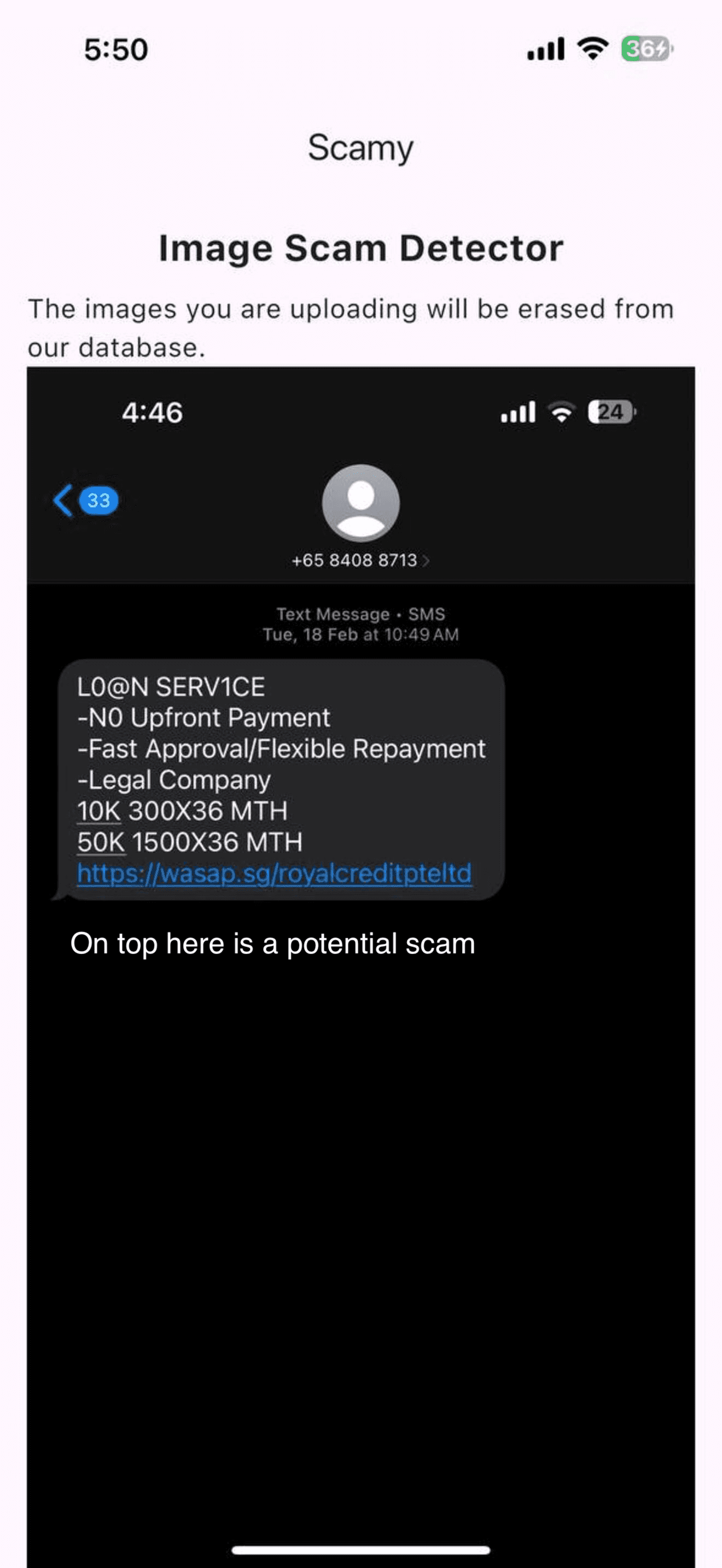
Start with whatever you have: a suspicious message, a URL, a screenshot, or a PDF. The scanner combines those signals into one structured review.
Paste message text
Check a suspicious link
Add context above if the link came from a text message, email, or marketplace chat.
Optional: add a screenshot or PDF (PNG, JPG, PDF)
How it works in 3 steps
Privacy-focused by design
The site is designed not to retain submitted files after analysis, which keeps the experience lightweight and privacy-conscious.
Signal-based scam review
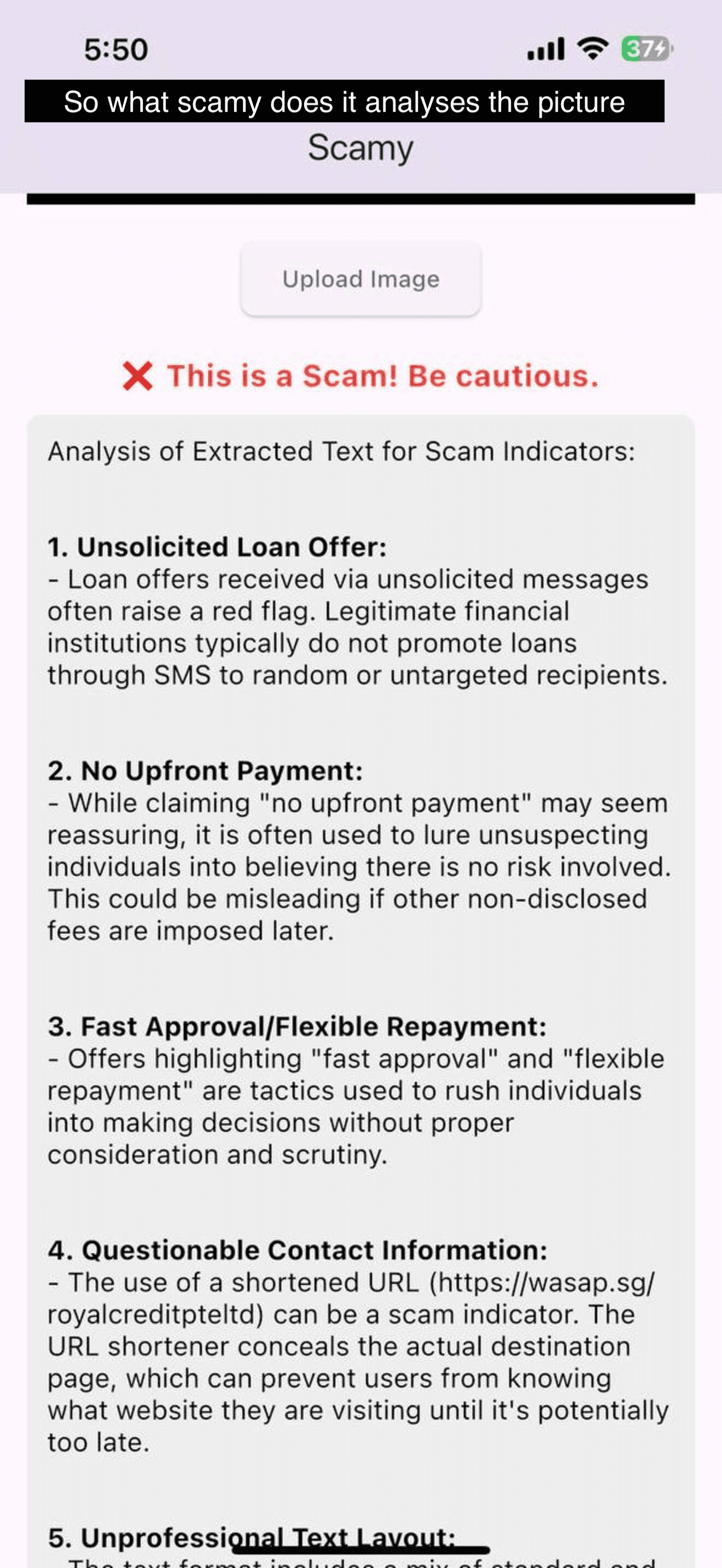
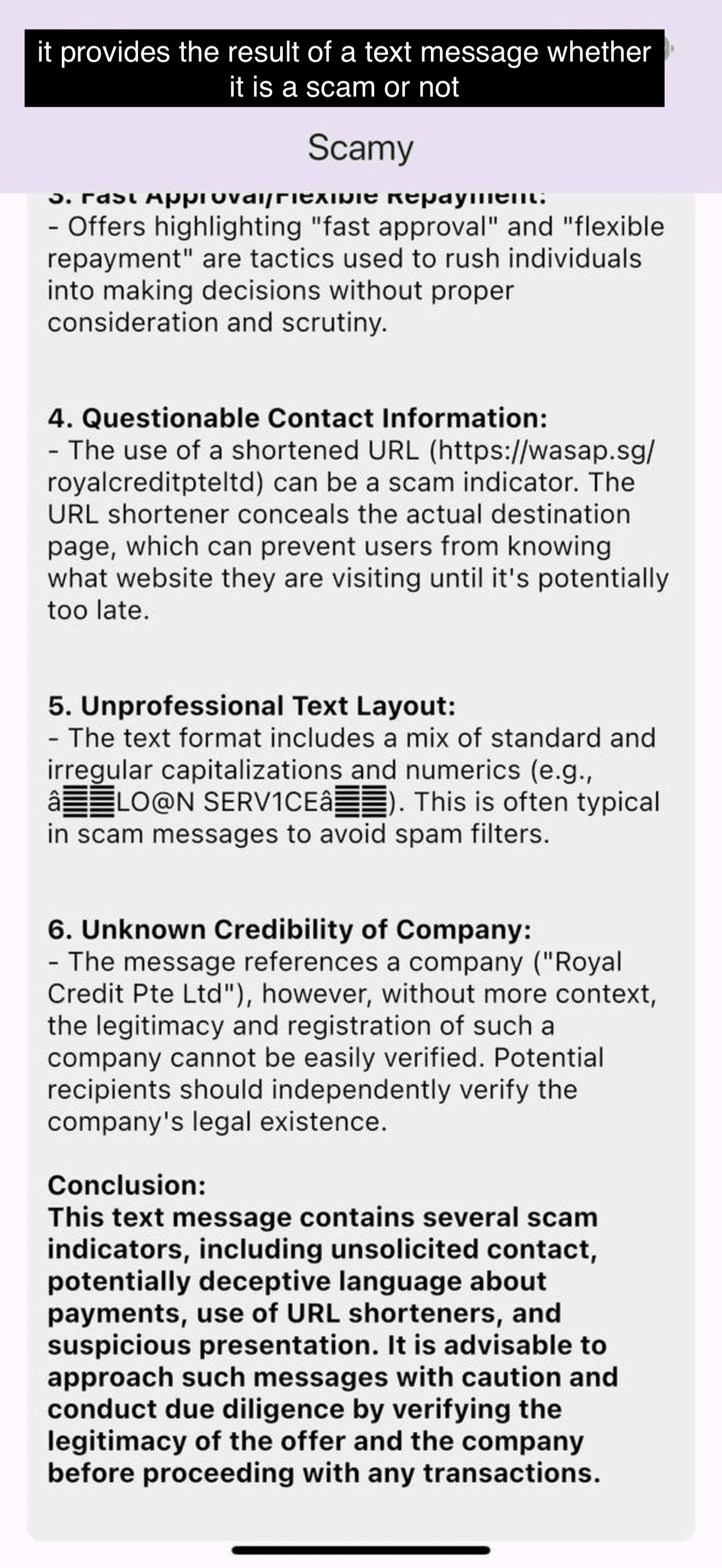
The analysis looks for pressure tactics, impersonation cues, suspicious payment instructions, and other common fraud indicators.
Built for common evidence formats
Users can submit common image types and PDFs, which are the formats most often used when sharing screenshots of suspicious messages.
What this website is for
Many scam victims do not need a long cybersecurity course first. They need a quick way to review a suspicious document and then clear advice on what to check next. This site is built around that exact moment.
Unexpected invoices and payment requests
Check screenshots or PDFs before paying when the sender, bank details, or urgency feel unusual.
Suspicious job offers and recruiter messages
Look for red flags such as up-front fees, off-platform conversations, or poor identity verification.
Marketplace, delivery, and refund messages
Review messages that pressure you to click links, confirm logins, or move the conversation elsewhere.
Manual review checklist
Even when a message looks convincing, a short manual review often catches what urgency hides.
- Look for pressure tactics such as deadlines, threats, or emotional urgency.
- Check whether the sender asks for passwords, one-time codes, payment, or unusual file downloads.
- Compare names, email domains, phone numbers, and URLs with the official source.
- Treat AI analysis as a second opinion and verify important decisions with the real company or institution.
Incident reporting without extra admin
After a scan, users can download a summary that captures the suspicious link, pasted message, uploaded file name, and the AI verdict in one plain-language report.
That gives the website a practical reporting step right after detection, which is often what people need when they are escalating a case to a colleague, friend, or support team.
What the report flow now covers
- Preserves the core case details the user actually submitted.
- Includes the structured AI response in a format that is easy to forward.
- Keeps the implementation light while leaving room for a future shareable report page.
Who should use it
Individuals, families, small teams, and community groups that regularly encounter suspicious emails, invoices, or online marketplace conversations.
How to use the result safely
Use the analysis as a screening tool, then verify banking changes, account notices, and support requests through an official phone number or website.
Important limitation
Sophisticated scams can still appear legitimate. High-stakes decisions should never rely on a single automated result.
Frequently asked questions
What makes this site useful beyond a simple upload tool?
Scamy combines file analysis with educational guidance so visitors can understand why a message looks risky, not just receive a label. The goal is to help people make safer decisions in real situations.
What kinds of content can be reviewed?
The site is designed for screenshots, image files, and PDFs that contain suspicious emails, payment requests, invoices, or messages. It works best when the document clearly shows the text you want checked.
Can the result replace human judgment?
No. Scamy is an assistive tool. It highlights patterns commonly found in scams, but users should still verify financial requests, account changes, and sensitive instructions with the official source.